Read the spoken words
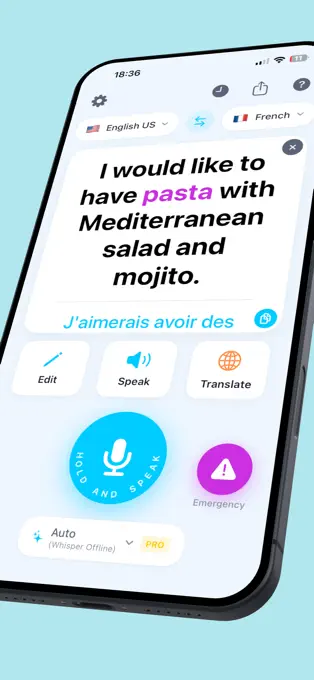
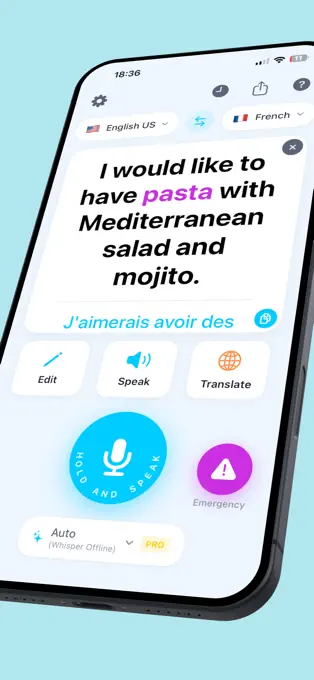
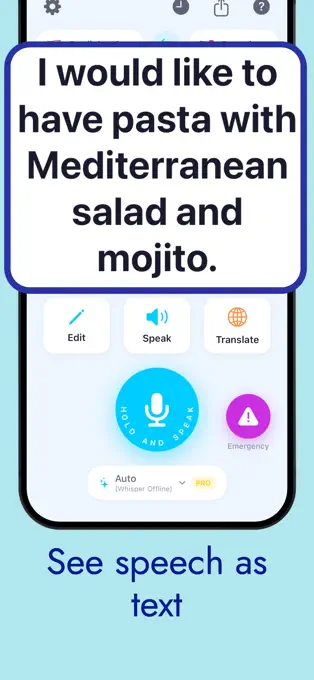
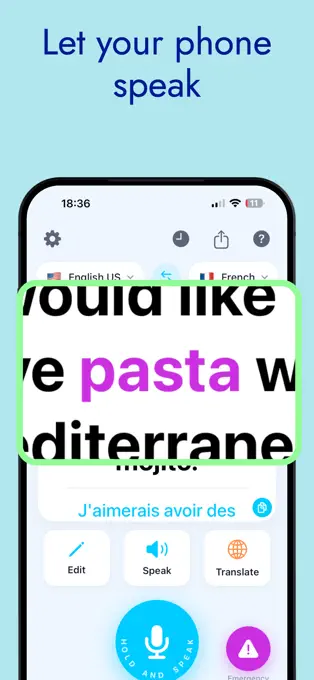
Hold the microphone button while someone speaks. Their words appear as text, ready to read, edit or show to another person.

For Deaf and hard-of-hearing people
Turn nearby speech into text you can read. Follow a conversation at work, at a shop counter or around the table, with translation and a history you can return to.
Start with free daily recognition time. Premium access is available in the app.
Everyday words, easier to follow
Hold the microphone button while someone speaks. Their words appear as text, ready to read, edit or show to another person.
Choose the languages for your conversation and translate the recognised text. Use Edit to correct a phrase and Speak to read text aloud.
Open recent conversations in History. Review the original and any saved translation, then copy or share the text you want to keep.
Allow microphone and speech-recognition access. Select the language the other person will speak.
Keep the device near the speaker, hold the microphone button and release it at the end of their turn.
Read the recognised text. Translate it into your chosen language, make corrections or share it when needed.
Match the connection and the conversation
A starting point
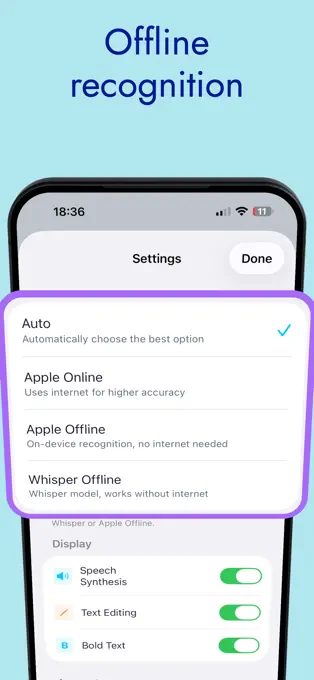
Starts with Apple Online when connected. If that is unavailable, it can use an installed Whisper pack or supported Apple Offline recognition.
Internet connection
Use Apple’s speech-recognition service for the language you select. A practical option when you have a reliable connection.
On your device
Recognise speech locally where your device and language support it. Check availability with a short conversation first.
Download once
Install the model pack in advance, then recognise speech on your device. Useful when travelling or when a connection is unavailable.
Offline speech recognition and translation have separate requirements. See how speech and translation are processed.
Try it in your daily life
For regular conversations
Current offers, prices and purchase terms appear in the app. Free daily and per-session allowances may change during events. Terms of use · Privacy policy
Inside Visual Hear
Current iPhone previews from the App Store. Scroll through eight images and select one to open it.


Straight answers
From your first conversation to offline recognition and restoring a purchase.
Contact supportVisual Hear turns speech picked up by your iPhone or iPad into readable text. It is designed for Deaf and hard-of-hearing people who want to follow face-to-face conversations at work, in shops, while travelling or with family. You can also translate text and review recent conversations.
Allow microphone and speech-recognition access when prompted, then choose the language the other person will speak. Hold the microphone button while they speak and release it when they finish. Keep the device close enough to pick up their voice clearly. The recognised words appear on the screen.
Choose the spoken language and translation language with the language selectors on the main screen. Recognition and translation support depend on the chosen service, language and device. Apple Offline may be unavailable for some languages even when online recognition supports them. The app’s interface languages are listed separately in the App Store.
Yes. Visual Hear supports iPhone with iOS 17 or later and iPad with iPadOS 17 or later. The larger iPad screen can be useful when sharing the text across a table. Check the current App Store compatibility details on your device before downloading.
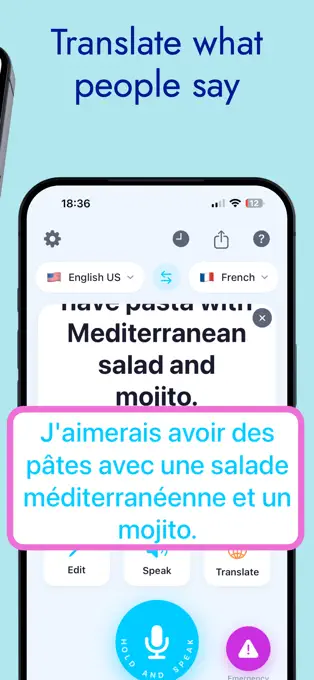
Select the spoken language and the language you want to read, recognise the speech, then tap Translate. The translation appears below the original text. Use the language-swap button when the direction of the conversation changes. Translation availability depends on the language pair and selected service.
Yes. Use Edit to change recognised text and Speak to read text aloud. If those controls are hidden, enable Text Editing and Speech Synthesis in the app’s Settings. Check the text before sharing or speaking it, especially names and numbers.
Enable Bold Text in Settings. The main screen keeps recognised speech prominent, with the translation beneath it. An iPad gives you a larger display if you prefer more space for reading or showing the conversation to another person.
Open History and select a conversation to review its original text and any saved translation. You can copy or share the text from its detail screen. History is stored on this device and keeps the most recent 50 entries, so share text you want to keep before older entries leave the list or you delete them.
Auto starts with Apple Online when there is a connection and can fall back to an available offline method. Apple Online uses Apple’s speech-recognition service. Apple Offline runs locally where the device and language support it. Whisper Offline runs locally after its model pack is installed. Select a specific offline mode when you want local speech recognition.
Choose Apple Offline for a supported language, or download the Whisper pack in advance and select Whisper Offline. Try a short conversation in that mode before you need it without a connection. Offline recognition still uses your free allowance unless premium access is active. Purchases and restoring purchases need an internet connection.
Apple Offline and Whisper Offline process speech on your device. Apple Online uses Apple’s speech service, and Auto can choose that online route. Translation is separate: compatible installed language pairs can use Apple Translation on iOS 26 or later; otherwise the app may send text to a configured online translation service. Selecting offline speech recognition does not make every translation offline.
Check the spoken language, move the device closer to the speaker and reduce background noise where possible. Ask people to take turns and try a short phrase with another recognition mode. Fast speech, overlapping voices, names and unfamiliar accents can affect the result. Use Edit to correct the text when needed.
You can try speech recognition with a daily time allowance. The main screen shows the free time remaining, and all recognition modes count towards it. Daily and per-session limits can change during app events. Check the current allowance in the app; it resets on a new local calendar day.
Open Visual Hear Settings and choose Restore Purchases while connected to the internet, using the same Apple Account as for the original purchase. To manage or cancel a subscription, open iPhone or iPad Settings, tap your name, then Subscriptions. Restoring a purchase does not create a second purchase.
Check microphone and speech-recognition permissions for Visual Hear in iOS Settings. Check your remaining free time or restore premium access. For Apple Online, check the connection; for Whisper Offline, check that the pack is installed. If the issue continues, contact support with your device model, iOS version, app version, chosen language and recognition mode, and the error shown.
A question at the counter. A chat with family.
Try Visual Hear on your iPhone or iPad.