
See the storage hotspots
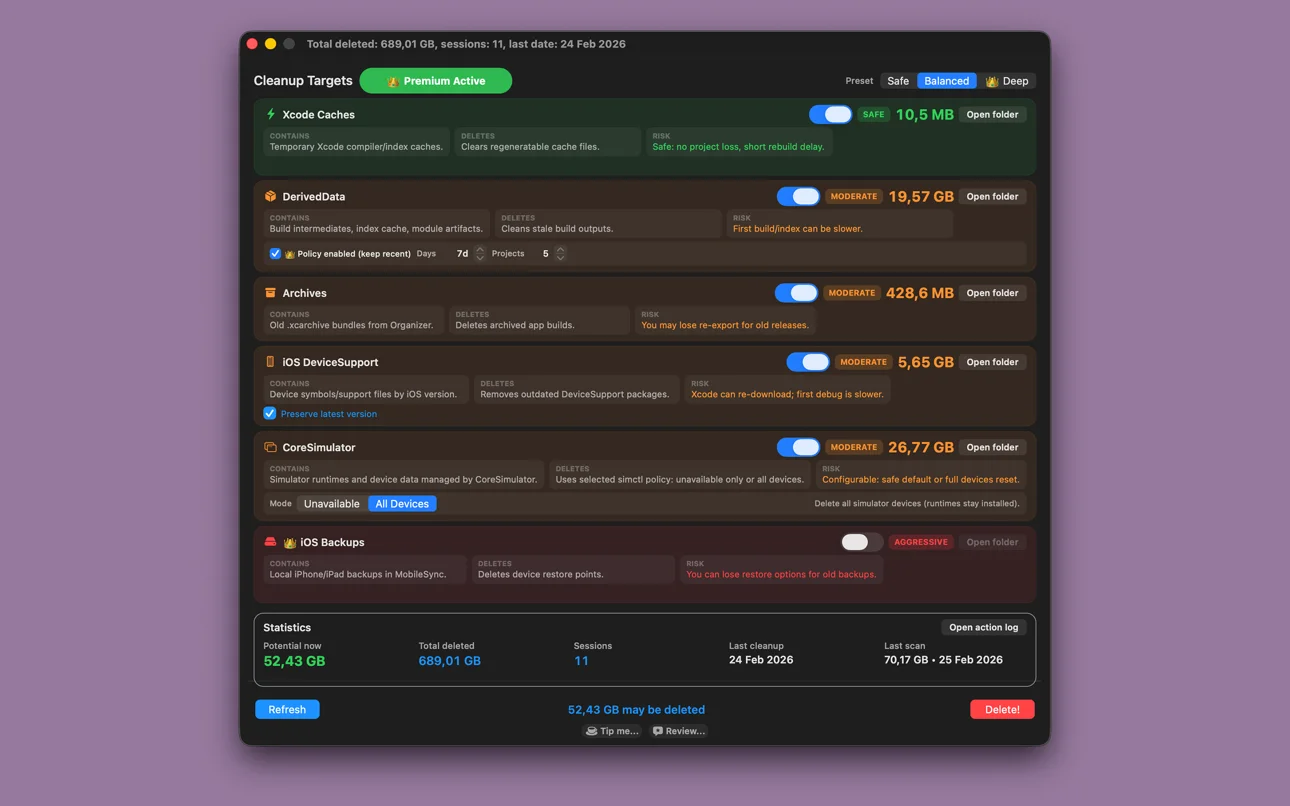
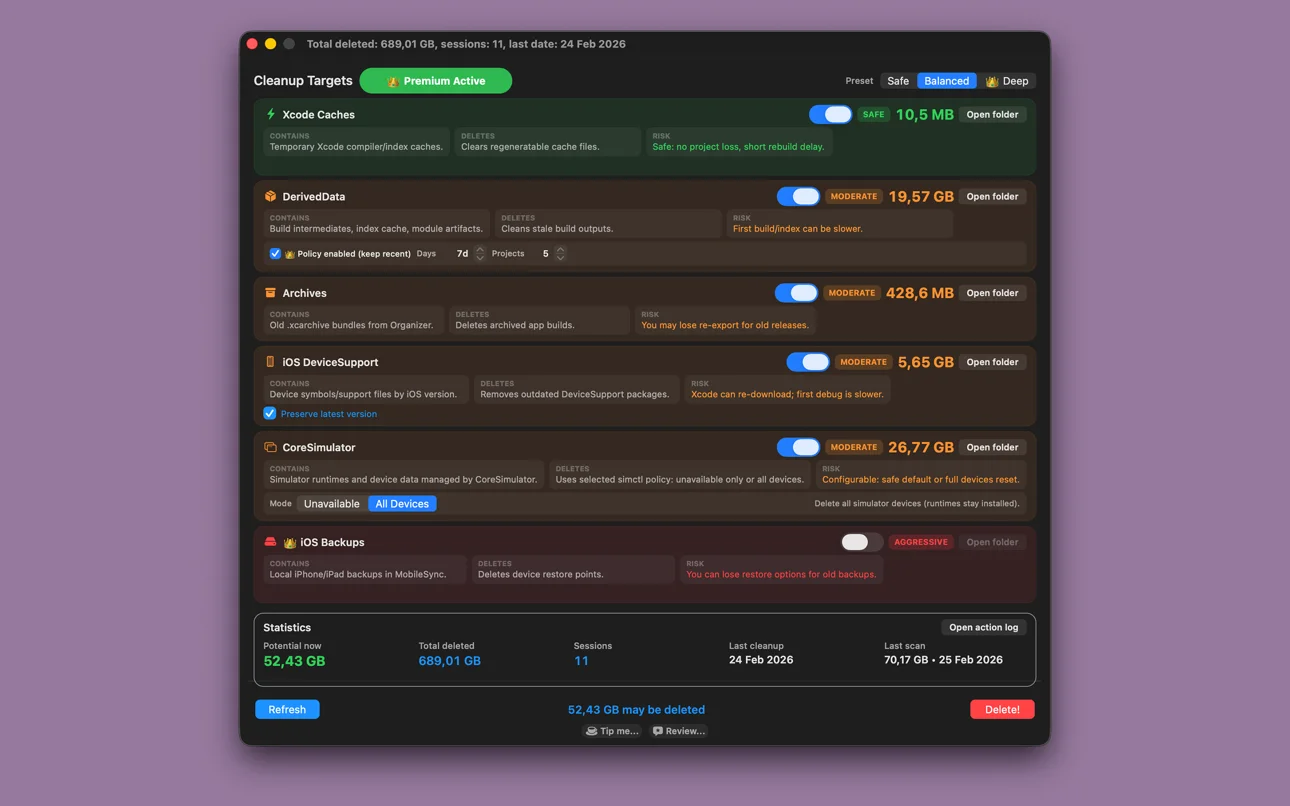
Review DerivedData, archives, DeviceSupport, CoreSimulator data, Xcode caches and iOS backups from one place.

For developers who use Xcode
Scan the main storage hotspots, review what takes up space and choose what to remove. Keep control with cleanup presets, folder previews and an action log.
What you can do
Review DerivedData, archives, DeviceSupport, CoreSimulator data, Xcode caches and iOS backups from one place.
Start with Safe or Balanced presets. Premium adds Deep cleanup and advanced retention and simulator controls.
Open a target folder in Finder, check its risk level and follow cleanup history in the action log. Supported file cleanup moves items to the Trash.
Getting started
Calculate the storage used by the Xcode data categories.
Choose a preset or individual cleanup cards. Open a folder in Finder if you want to inspect it first.
Run the selected actions, then review the recorded results and storage statistics.
Inside the app
From the English Mac App Store listing, checked on 29 October 2026. Select an image to open it.
Practical answers
Need help with Dev Cleanup Utility? Include the app name and your device when contacting us.
Contact supportThe app covers DerivedData, archives, iOS DeviceSupport, CoreSimulator data, Xcode caches and iOS backups. Review the selected category before running cleanup.
Yes. Open a target folder in Finder from the cleanup card before deciding whether to remove its contents.
They are presets for different cleanup scopes. Cards show Safe, Moderate or Aggressive risk levels so you can review the selected actions. Deep is a Premium feature.
File cleanup supports moving items to the Trash. CoreSimulator actions use Apple’s simctl tool, so review the selected simulator mode before running those actions.
After cached or generated Xcode data is removed, Xcode may need to rebuild it or index the project again. The first build or indexing pass can therefore take longer.
Some categories, including iOS backups, require Full Disk Access. Grant it in macOS settings if you want the app to clean those protected locations.
Premium adds a DerivedData retention policy for recent projects or days, an option to preserve the latest iOS DeviceSupport version and advanced CoreSimulator modes.
Yes. The action log records cleanup history. Statistics include potential reclaim, total deleted, sessions, the last cleanup and the last scan.
Ready when you are
macOS 12.2 or later