Bring speech forward
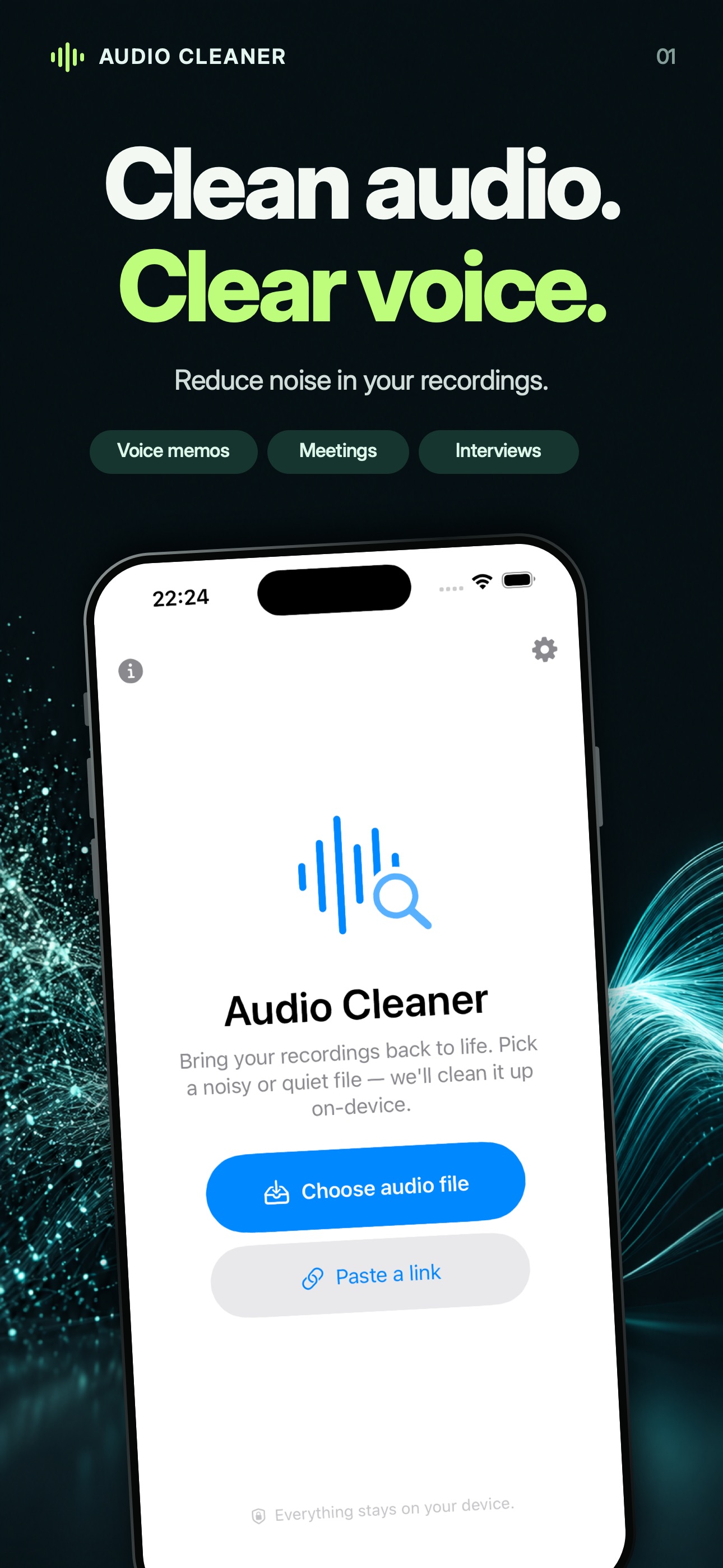
Reduce background hiss, hum and other noise. Balance uneven volume so quiet passages are easier to hear.

Your recordings. On your device.
Make voice memos, lectures and interviews easier to hear. Reduce background noise, balance the volume and compare the result — with audio clean-up that runs on your iPhone or Mac.
Try one recording up to five minutes free each day. Premium options in the app.
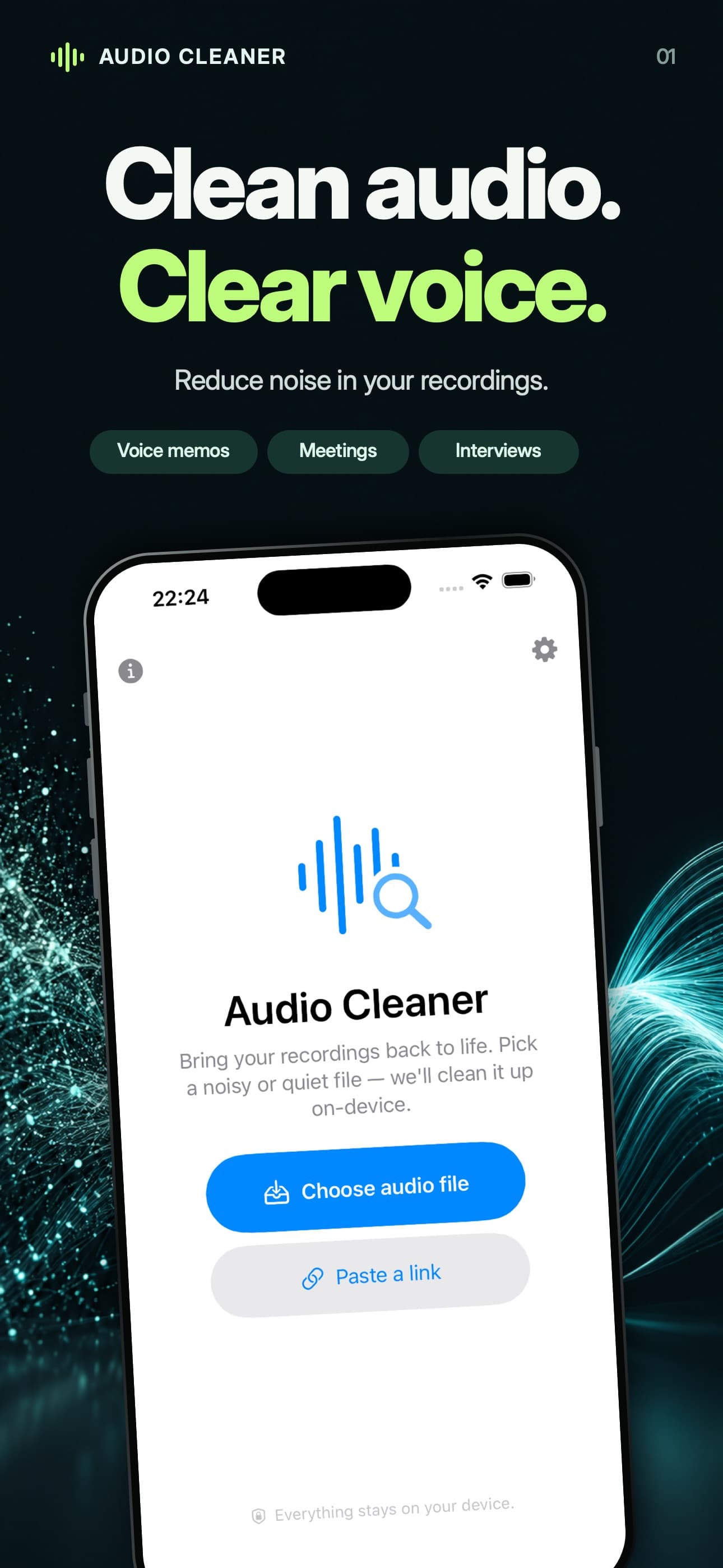
For the words you want to keep
Reduce background hiss, hum and other noise. Balance uneven volume so quiet passages are easier to hear.
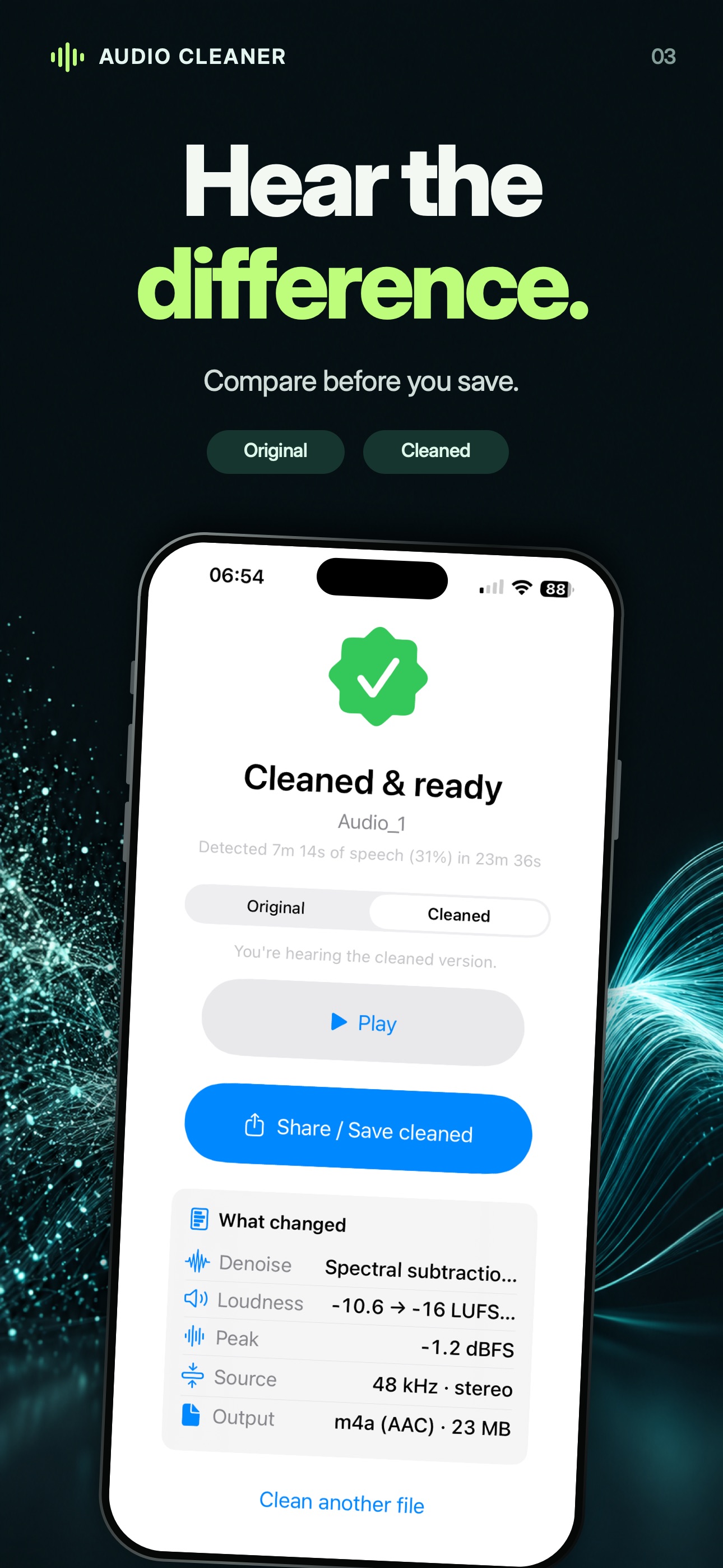
Switch between the original and cleaned audio. Change your settings and clean again, then save the version that works for your recording.
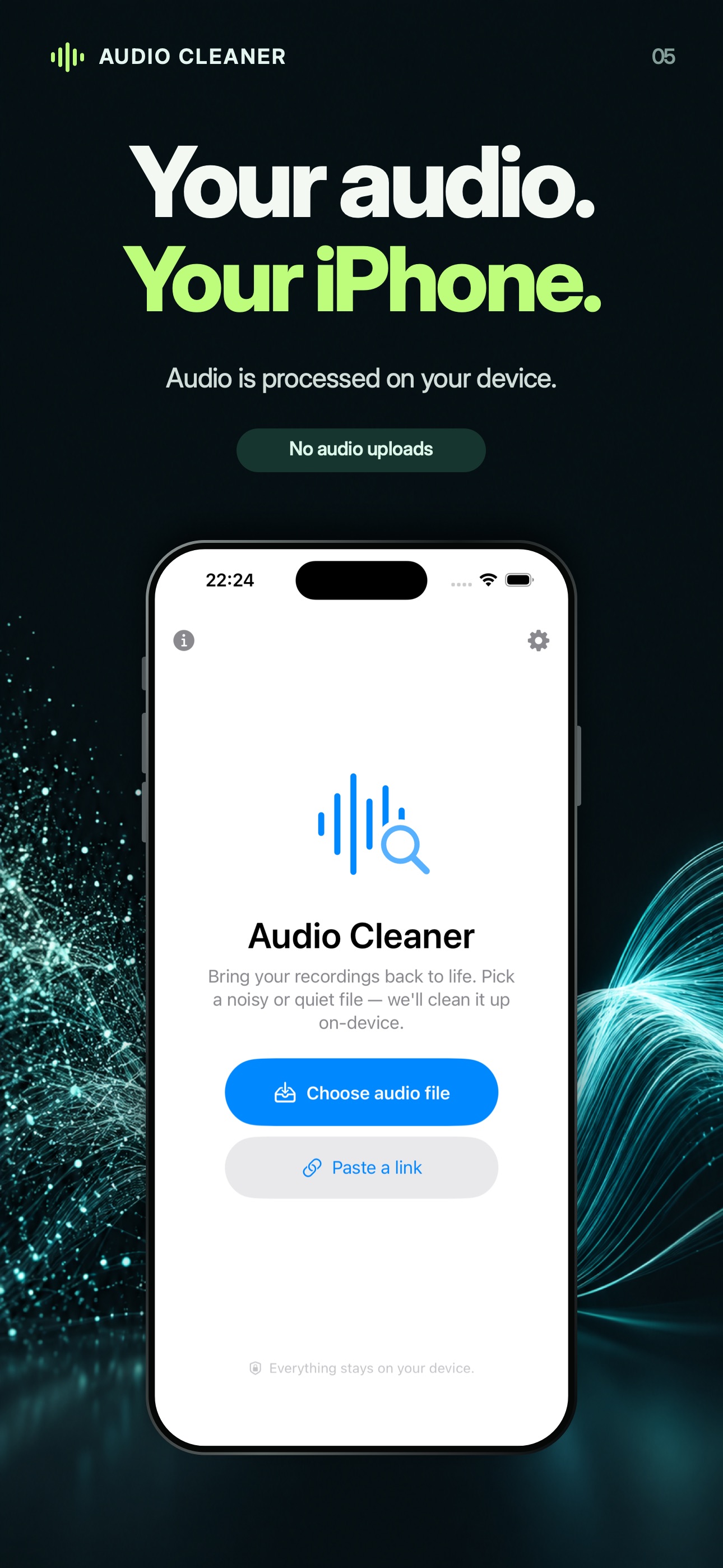
Your recordings stay on your device during clean-up. Process a local file without creating an account or uploading it to a server.
Import a supported audio file. Download any iCloud-only file first, and start with a short recording.
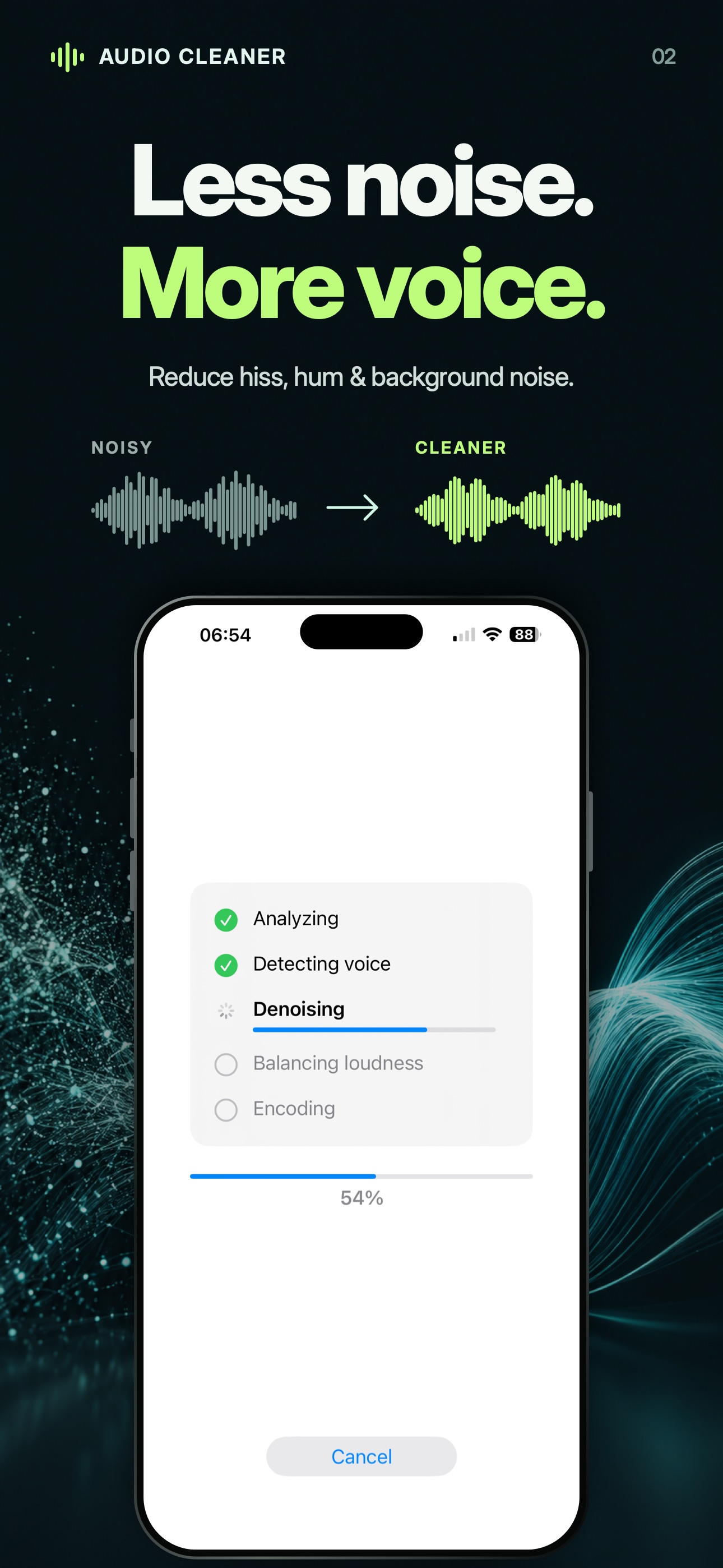
Pick a preset for the recording, adjust the settings if needed and start processing.
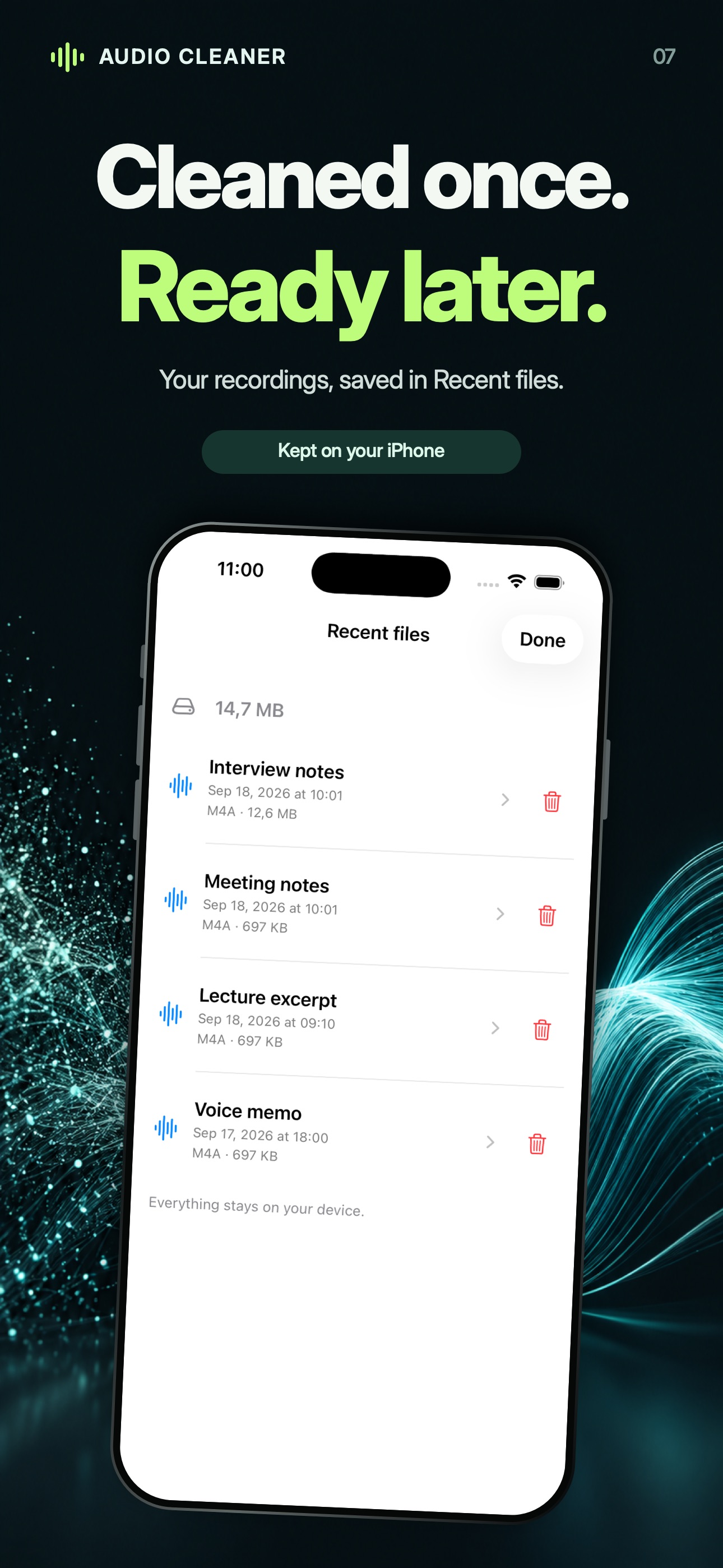
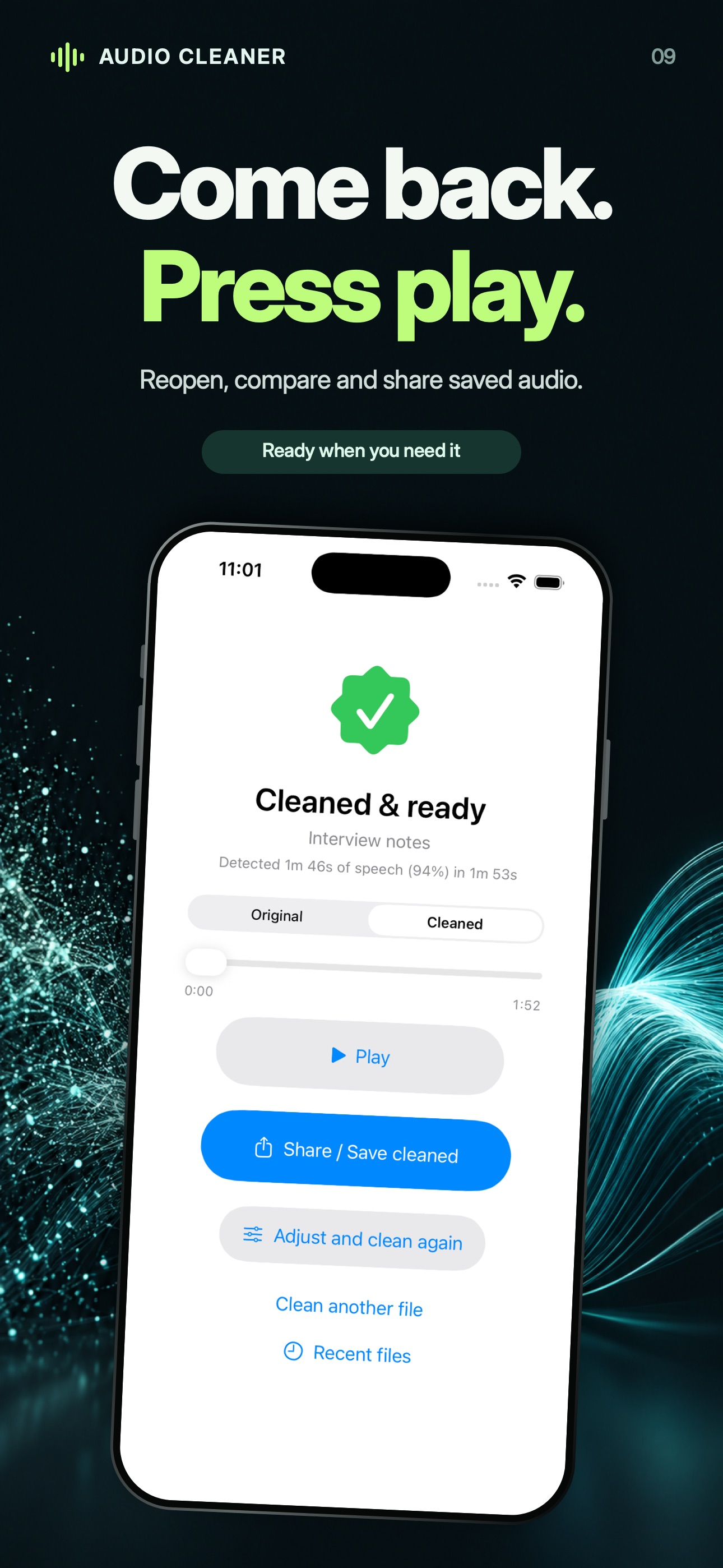
Listen to Original and Cleaned, then save or share your result. Reopen it later from Recent files.
Start with the recording
A useful starting point
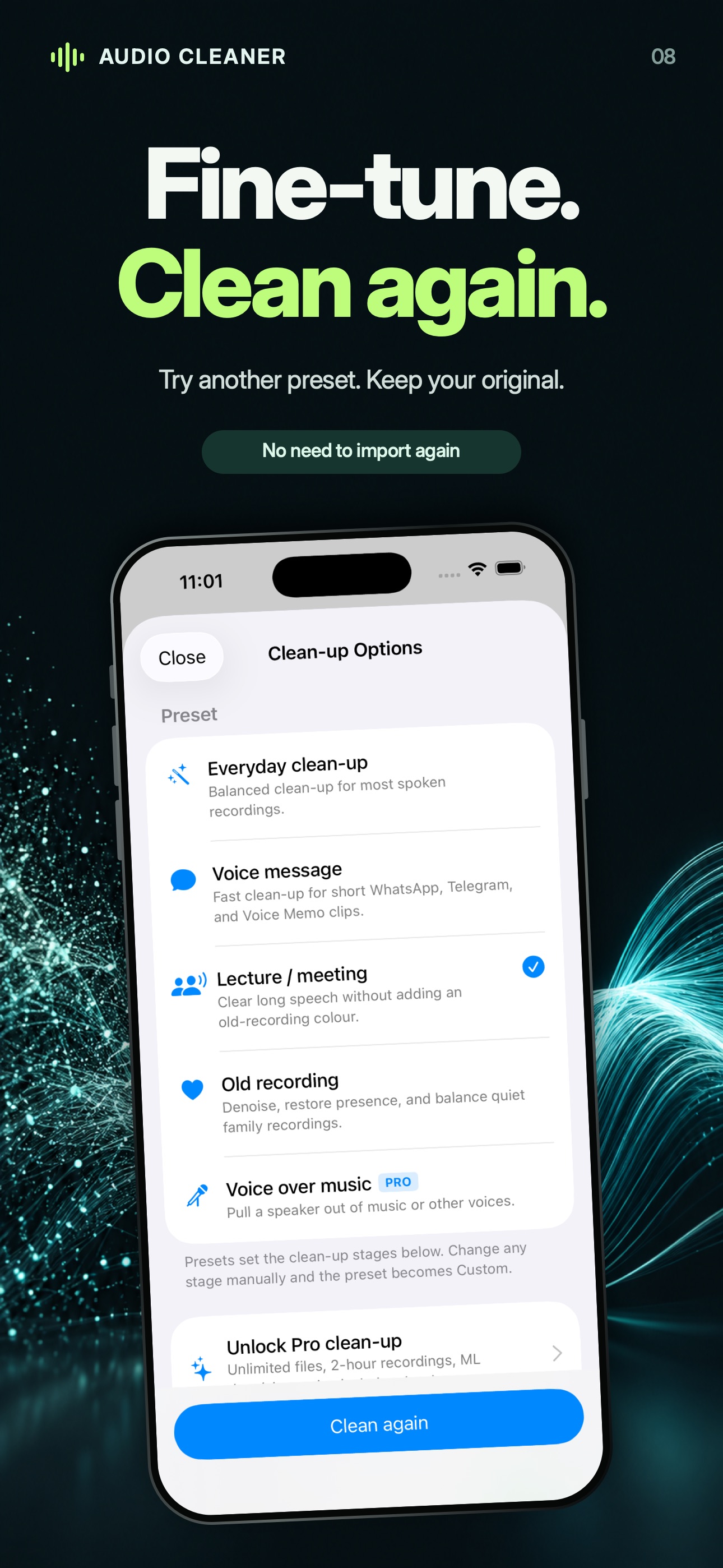
Balanced settings for spoken recordings with everyday background noise. Start here, then listen to the comparison.
Short clips
Lighter processing for voice memos and saved messages. A practical choice when you want a quick clean-up.
Longer conversations
Focus on speech in lectures, interviews and meeting recordings. Pro supports files up to two hours.
Voices worth keeping
Reduce noise, bring quiet voices forward and balance older recordings. Compare the result with the original before saving.
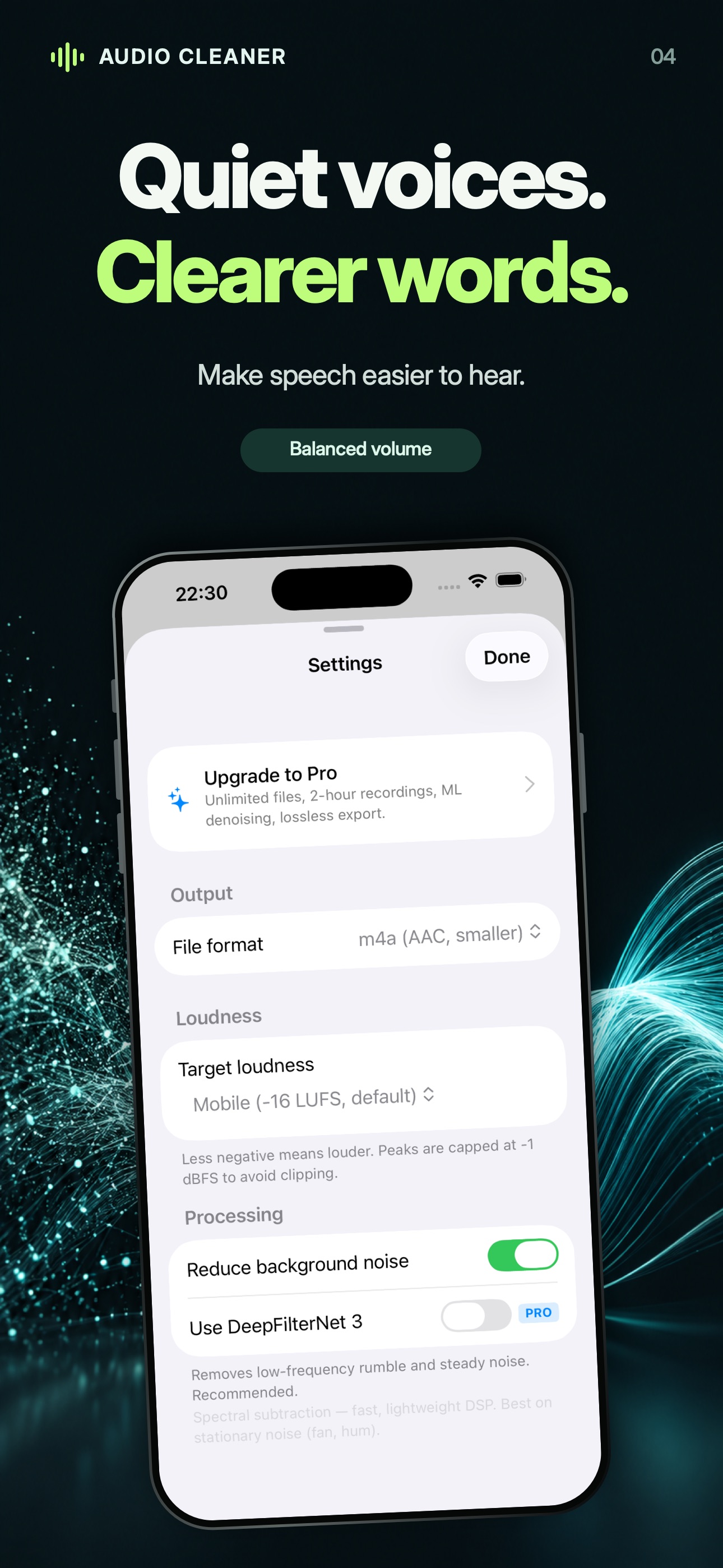
Deep noise reduction uses DeepFilterNet 3 and requires premium access. Try a short sample first: stronger processing is not always the best fit for a voice.
Choose how often you clean
For regular use
Current prices and purchase terms appear in the app. Events may temporarily increase the free allowance. Terms of use · Privacy policy
Inside Audio Cleaner
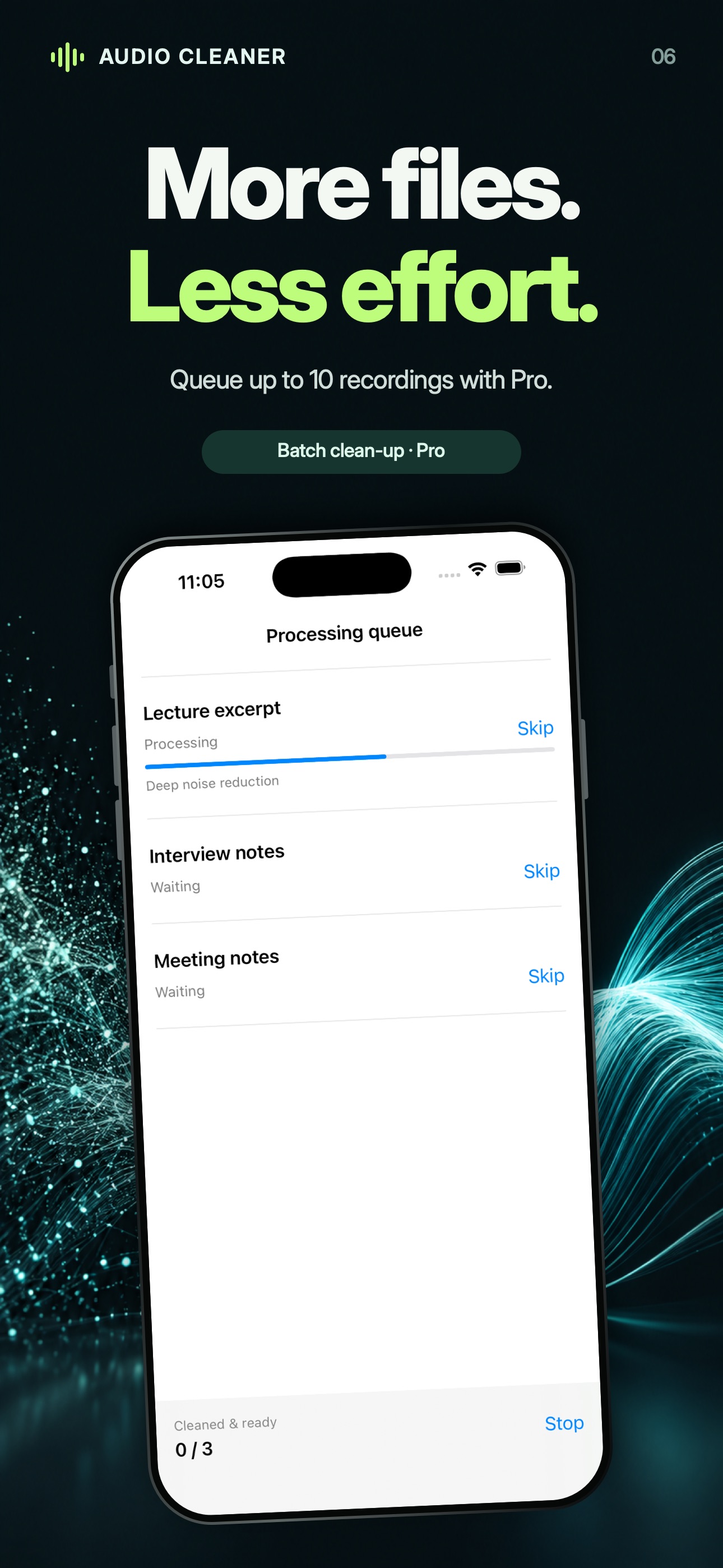
All ten iPhone previews from the App Store. Scroll through the gallery; select an image to open it at full size.
Straight answers
Getting started, keeping your files and choosing the right clean-up.
Contact supportChoose an audio file, select a preset that suits the recording and start cleaning. When it finishes, switch between Original and Cleaned to hear the same passage. Save or share the version you prefer. Start with a short recording where you can already make out the words.
Spoken recordings such as voice memos, lectures, meetings, interviews, voicemails and old family recordings. It can reduce background hiss, hum and other noise and make uneven speech easier to hear. The result depends on how clearly the voice was captured.
Start with Everyday clean-up for general speech. Voice message uses lighter processing for short clips. Lecture / meeting is intended for longer spoken recordings, while Old recording adds voice enhancement for older or quiet material. You can change the settings and use Clean again to compare another result. Premium processing options require Pro or an unlocked export.
Yes. The current App Store version requires iOS 17.6 or later on iPhone, or macOS 14.6 or later on a Mac with an Apple M1 chip or newer. Check the Compatibility section of the App Store listing on your device before downloading.
Save or export the recording from its original app to Files or your Mac, then choose that file in Audio Cleaner. Use the Voice message preset for a short clip, or Everyday clean-up as a starting point. Available export options depend on the app the recording comes from.
Audio clean-up runs on your device; recordings are not uploaded for processing. You do not need to create an account to clean a local file. Download files stored in iCloud first. Importing from an internet link, purchasing and restoring purchases need an internet connection. Separate app services, including analytics and diagnostics, may also use the internet; see the privacy policy and App Store privacy information for details.
Common inputs include M4A, MP3, WAV, AAC and AIFF. The audio codec inside the file must also be supported. Standard output is M4A with AAC compression. Pro and unlocked premium exports also offer lossless WAV. Changing a filename extension does not convert the audio.
No. The app creates a separate cleaned copy. Recent files keeps the imported recording and its cleaned result on this device so you can compare them again. Save or share a separate copy of any result you want to keep before removing it from the app.
Open Recent files and choose the recording to compare, save or share it again. Use Clean again to process it with different settings without importing the original again. Saving or sharing an existing completed result does not use another paid export; running a new premium clean-up may use one.
Yes. Paste a direct link to a downloadable audio file. A page containing an audio player is not necessarily a direct file link, and links that require a login may not work. If the link cannot be imported, download the recording to Files or your Mac and import the saved file.
The standard free allowance is one successfully cleaned file per day, up to five minutes long, with basic noise reduction and M4A output. You can compare the original and cleaned audio before saving. Events may temporarily increase these limits; the app shows the allowance currently available to you.
Pro removes the daily file limit, supports recordings up to two hours, adds DeepFilterNet 3 deep noise reduction and lossless WAV output, and lets you queue up to ten files. Files in a queue are processed one at a time with the same settings. Current purchase options and prices appear in the app.
Yes. Unlock this export is a one-time purchase that currently includes two premium exports. Unused exports do not expire. One is used only after a cleaned file is ready; failed or cancelled processing does not spend an export. Credits are stored on this device and are separate from a restorable Pro purchase. Check the pack details in the app before purchasing.
Use Restore Purchases in the app with the same Apple Account used to buy Pro. Manage or cancel a subscription through your Apple Account subscription settings. On iPhone, open Settings, tap your name, then Subscriptions. Consumable export credits are device-local and cannot be restored like a subscription.
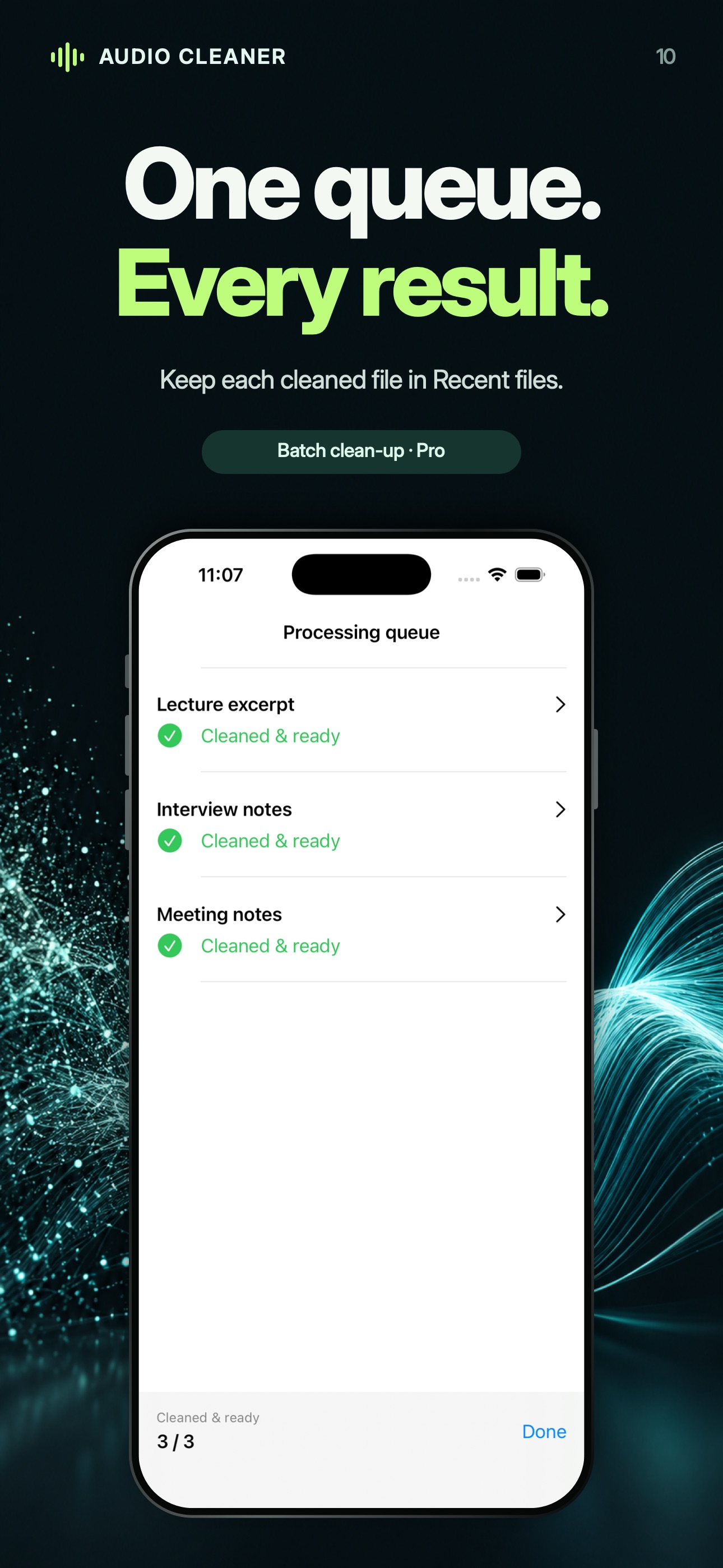
With Pro, queue up to ten files for batch clean-up. The app processes them one at a time with the same settings and keeps each completed result in Recent files. The premium duration limit applies to each individual recording.
It is the premium DeepFilterNet 3 speech-denoising option. It runs locally and can help with difficult background noise, but needs more processing than basic noise reduction. Compare both on a short recording. If speech sounds less natural, turn Deep noise reduction off and clean the original again.
No. Speech that is buried in noise, clipped or heavily distorted may remain unclear. Noise reduction can also change the sound of a voice. Compare the same passage in Original and Cleaned, try another preset and keep the result that is easier to understand.
The device processes the audio locally. Longer recordings and Deep noise reduction need more work, and speed varies with the device. Keep the app open while processing. To check whether a setting helps, try a short file first; for lighter processing, try Voice message or turn Deep noise reduction off.
Check that the original plays and has fully downloaded from iCloud. Make sure there is enough free storage, then try a short M4A or WAV file with basic noise reduction. If it still fails, contact support with the device model, operating-system and app versions, file format and duration, selected settings and the error message.
The Voice over music preset uses premium voice isolation. It can help separate a voice from a musical background, but overlapping voices and loud music can remain difficult. Try a short sample and compare the result with the original. This option requires Pro or a premium export credit.
A voice memo. A lecture. A familiar voice.
Try a short file with the free daily allowance.